Help Center

Help CenterHelp Center

Core Features of the Nurovet Veterinary Management System

For 18 years, our organization has supplied veterinary experts with operational tools that improve clinic performance and patient treatment outcomes. The Nurovet CRM serves as the main operational system for your exercise, which mixes genuine scientific solutions with administrative workflow management. Our system unifies all client interactions and scientific information, which allows you to lessen your administrative work and boom time spent with your animals.

help center
Feature GiudeFeature Giude

Detailed CRM Feature Guide

Appointment Management

Appointment Management

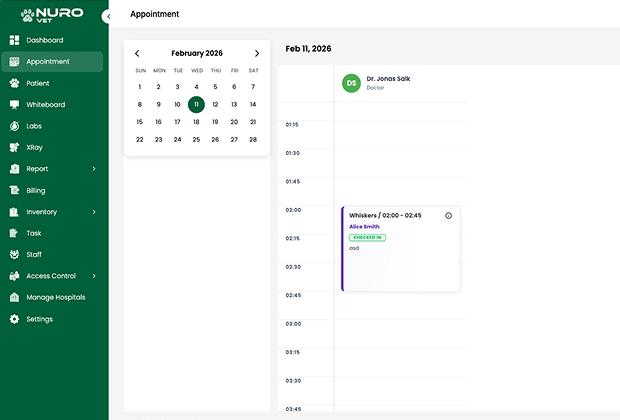
An effective health center needs efficient scheduling as an easy requirement. The module enables you to distribute work among your group members whilst presenting pet proprietors with a handy booking method. The system connects to the consumer database for direct integration, which allows eliminate double bookings and reducing no-display expenses.

How to Use

  • Users have to open the master calendar and select an unoccupied time slot.

Process

  • The appointment desires to be related to a selected "Pet Profile," which calls for the challenge of a veterinarian and the dedication of visit reason through selected options (Surgery Consultation, Vaccination)

Using Criteria

  • The device capabilities are first-class, whilst it controls the affected person's well-being during the day, sending automatic SMS and Email notifications for appointment reminders.
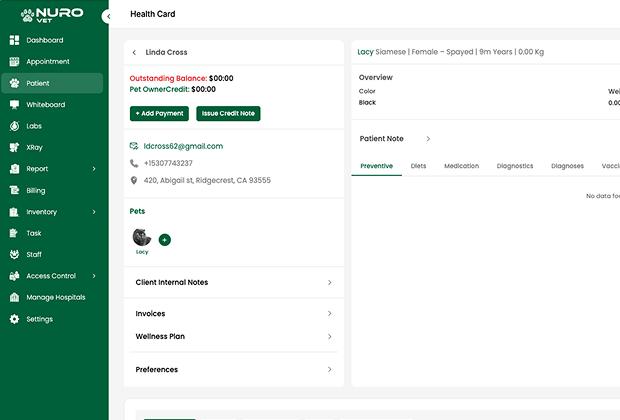
Pet Profiles & CRM Records

Pet Profiles & CRM Records

A Pet Profile is more than just a name; it's a far more comprehensive virtual identification. The system enables you to store important biological facts together with behavioral observations, which the team of workers will use to supply custom designed care while pets arrive at the facility.

How to Use

  • Locate existing patients or add new patients by selecting "New Patient" from CRM.

Process

  • Add all pertinent information (e.g., species, breed, microchip number, allergies, prior history).

Using Criteria

  • It allows you to collect data consistently during each future interaction with this particular patient.
EMR & Medical Records

EMR & Medical Records

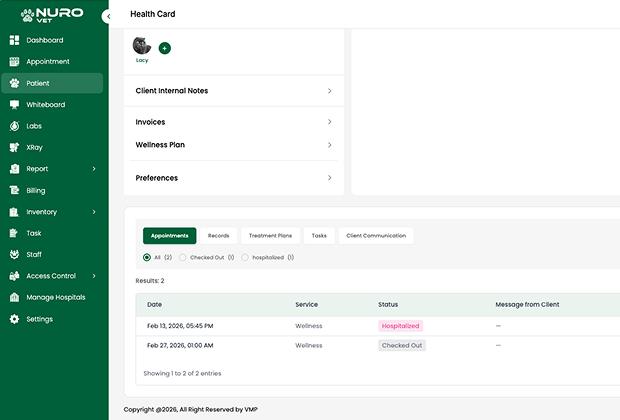
Now, thanks to Electronic Medical Record software (EMR), every clinician will have access to your pet's entire medical record in seconds! This way, the clinician can make changes to the medical record during your consultation and there will be no small details, such as a specific vaccination date, that get overlooked or misinterpreted.

How to Use

  • To create a new entry in your pet's medical history, use the "Medical History" tab in the Pet Profile.

Process

  • Document signs, checks, and plans the use of standardized SOAP notes.

Using Criteria

  • Essential for felony compliance and for supplying clean records to any vet in the exercise.
Labs & X-Ray Reports

Labs & X-Ray Reports

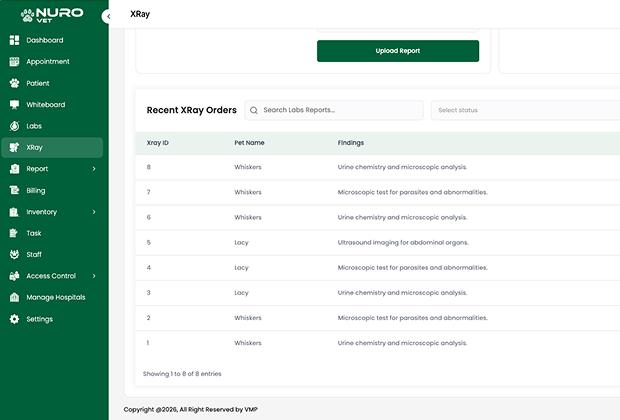
The integration of diagnostics into the CRM system enables organizations to attain selections more successfully. The storage of lab outcomes collectively with imaging documents inside the patient's file enables you to establish a complete understanding of the animal's fitness reputation without using more than one software program system.

How to Use

  • Import files into the diagnostic module using the upload/sync feature.

Process

  • Attach PDF lab results or DICOM imagery (Xrays) to each respective consultation date.

Using Criteria

  • Used as a means of tracking diagnostic trends over time and sharing visual results with clients.
Treatment Chart

Treatment Chart

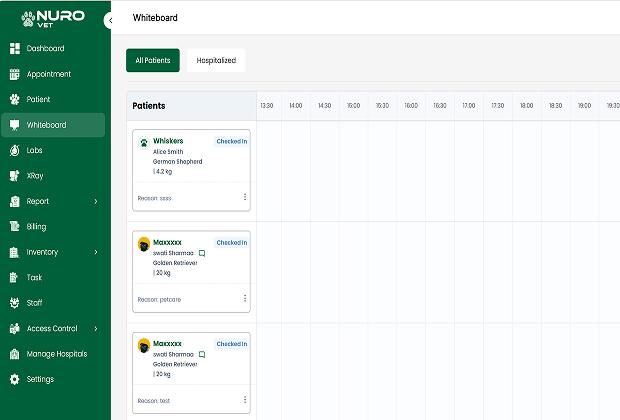
The Treatment Chart is a live and up-to-date "To-Do List" of your veterinary team for all of the hospitalized pets. The Treatment Chart also allows you to monitor medications and vital signs, in real-time, of your hospitalization patients, according to the veterinarian’s orders.

How to Use

  • To view all patients who are currently hospitalized, go to the Inpatient Dashboard.

Process

  • Technicians will check off tasks that have been completed and this checking off of tasks will automatically bill for those services and keep up-to-date medical logs.

Using Criteria

  • Extremely important for ICU monitoring, post-op recovery, and boarding facilities.
Billing & Invoicing

Billing & Invoicing

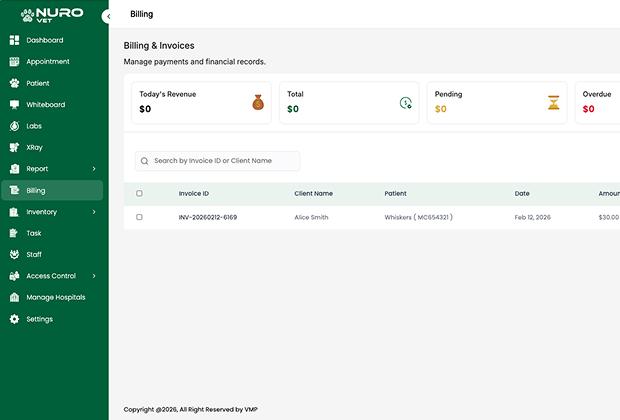
Transparency creates trust with clients. Our billing module will automatically pull any items from medical records and/or treatment charts to provide accurate invoices, reducing the possibility of manual entry error.

How to Use

  • Once medical consultation or treatment is closed, select Produce Invoice.

Process

  • Review auto-populated charges and apply any necessary discounts then enter any amount into the Payment field to process.

Using Criteria

  • Daily transaction closure and to apply "Account Credit" to long term clients.
Inventory Management

Inventory Management

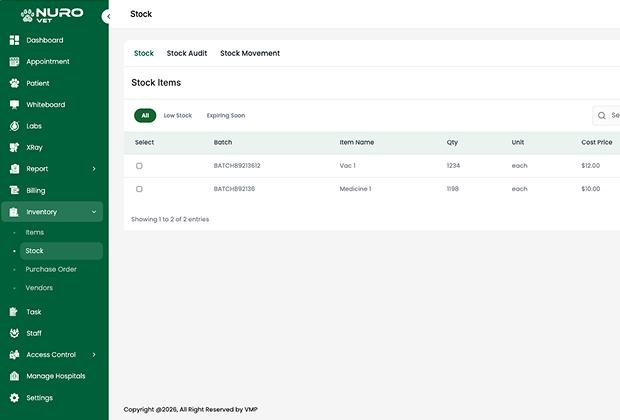
Maintaining ideal stock levels can be challenging. This specific function tracks every pill and bandage, alerts whenever supplies are getting low, and guarantees that patients will have access to life-saving medications at all times.

How to Use

  • Use the Inventory tab to see up-to-the-minute inventory levels.

Process

  • Set the reorder points for each item in your inventory so that the system can notify you when the item(s) are getting low.

Using Criteria

  • This feature is very helpful to track controlled substances and to minimize waste due to expiration.
Staff & Role Management

Staff & Role Management

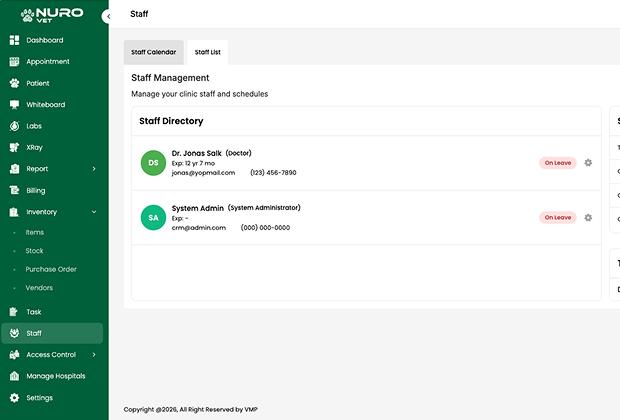
Accountability and security are of utmost importance in a clinical setting. Features exist to enable administrators to see precisely how each individual on staff is given access to data within the system, thereby protecting sensitive patient information and financial data.

How to Use

  • Go to the Settings menu in the system, and select User Management to add or change employees in the system.

Process

  • Assign one of three roles (Admin, Vet, Receptionist) to each employee and define what access each role has to different areas of the system.

Using Criteria

  • Data security is maintained and performance/actions of a specific employee will be recorded through the use of access criteria, as determined by the administrator in the settings of the system.
Reports & Analytics

Reports & Analytics

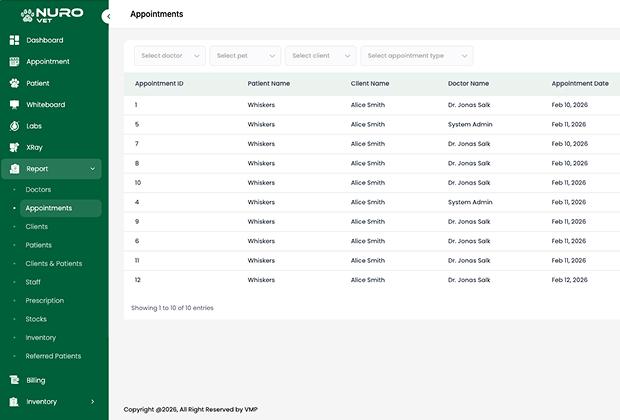
Clinics are increasing in number and becoming increasingly more competitive. With the aid of reporting software, you will be able to turn your operations every day into visual representations so you can see how much money you're generating each hour, when you have the most clients coming through the door, and what percentage of your clients come back.

How to Use

  • To access reports, go to the Reports Module and select the Finance or Medical report.

Process

  • Filter the data by date range and/or location before exporting that data either as a PDF or an Excel file.

Using Criteria

  • You should look for trends and to help evaluate your growing business based on monthly reports to determine areas for potential cost savings.
Vendor Management

Vendor Management

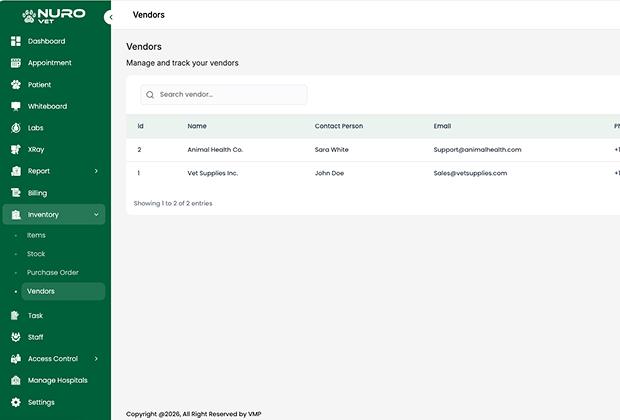
It doesn't have to be difficult to manage your supply chain. This function centralizes your relationships with wholesalers and laboratories, making it easier for you to monitor orders and manage accounts payable.

How to Use

  • Use the Vendor's tab in either the Inventory or Admin module.

Process

  • Document your vendors' contact information; Keep records of all Purchase Orders associated with each of your vendors and associate them with products being received from each vendor.

Using Criteria

  • To enhance the streamlining of your procurement processes and to ensure that you are maintaining a good working relationship with your vendors.
Pet Owner App

Pet Owner App

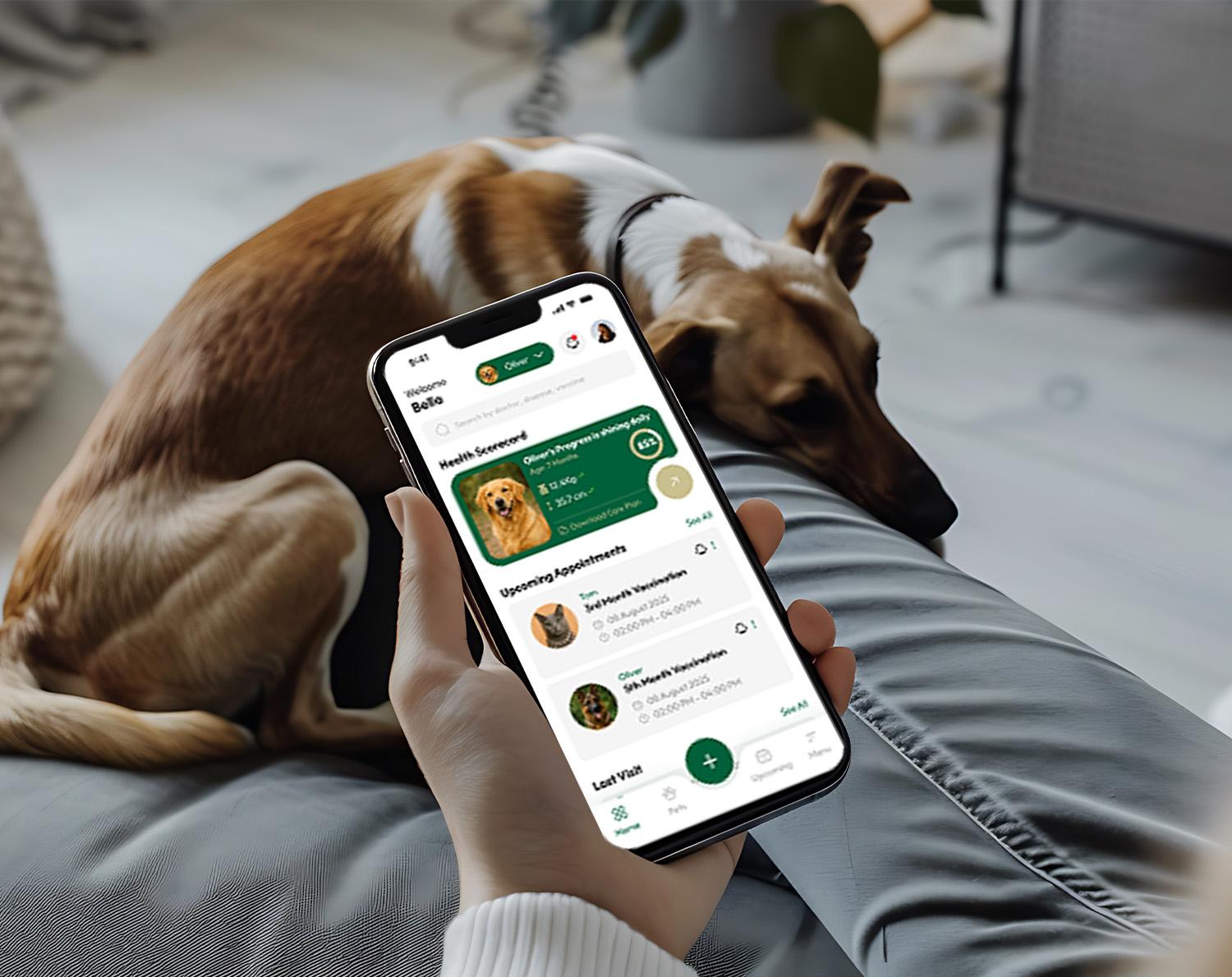
Today's consumers look for easy access to information, so clinics and pet owners need a tool that bridges the gap between them. The Pet Owner App provides the link that connects the clinic to the owner, while fostering a great relationship between the owner and their veterinarian by improving compliance.

How to Use

  • Enable Mobile Access on your client's profile, and send them an email with a Secure Login Link.

Process

  • Pet owners can download the app to access their pet's medical profile, make appointments, and receive reminders about vaccinations.

Using Criteria

  • The best utilization for your practice is to improve client retention and reduce phone traffic at the front desk.
Manage Hospitals

Manage Hospitals

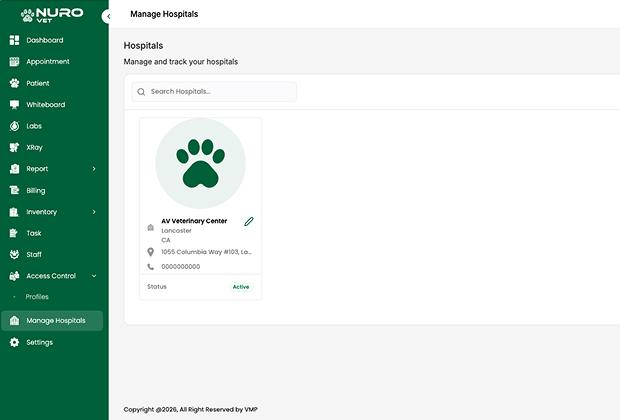
A consolidated view of all your facilities is paramount for practices that have multiple locations. The "Global Dashboard" allows you to see all your facilities from a "bird's eye view," yet still allows each facility to retain its unique individuality.

How to Use

  • Toggle the "Global Dashboard" to switch between various locations.

Process

  • Aggregate all locations' data or analyze the results for one location.

Using Criteria

  • Multi-branch practices/corporate organizations needing centralized control.